
Building a Legacy Computing Laboratory: A Deep Dive into 2008-Era Infrastructure
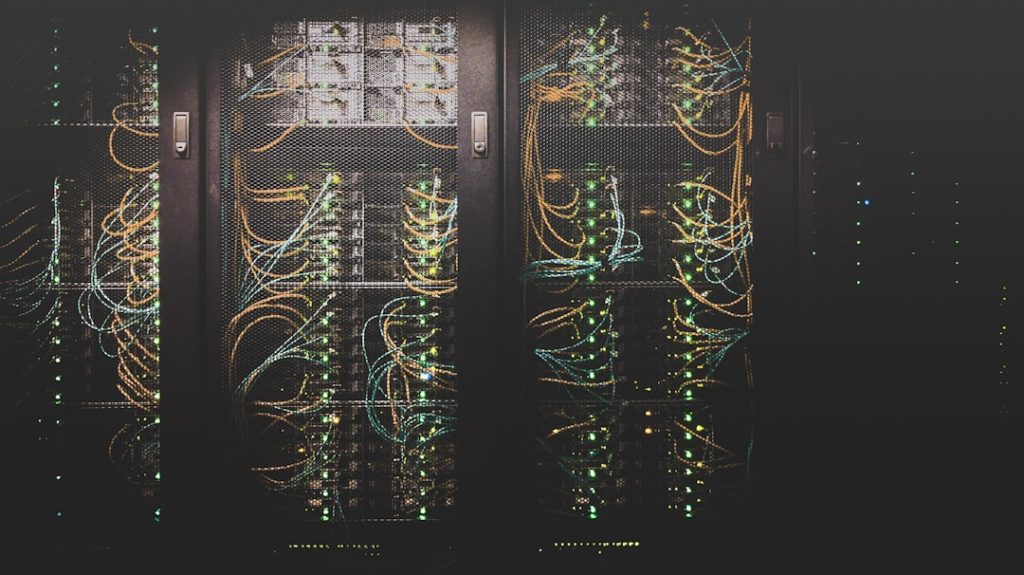
The world of legacy computing offers a fascinating playground for system administrators and technology enthusiasts who want to understand how enterprise infrastructure evolved. This summer, I’m embarking on an ambitious project to recreate a complete small business IT environment using Windows Server 2008 and related technologies from that era. The goal isn’t nostalgia—it’s education and genuine curiosity about systems that shaped modern computing.
The Philosophy Behind Legacy Computing Labs
I believe there’s tremendous value in understanding older technologies, not just from a historical perspective, but as a way to appreciate the foundations of current systems. Too many IT professionals today work exclusively with cloud-native solutions without understanding the underlying principles that made those innovations possible. By diving deep into legacy systems, we gain insights that make us better technologists overall.
This approach isn’t for everyone, though. If you’re laser-focused on cutting-edge cloud technologies or startup environments, spending time with 15-year-old server operating systems might feel like a waste. However, for those working in enterprise environments with mixed infrastructure, or anyone curious about system design evolution, this kind of exploration proves invaluable.
Project Architecture and Technical Goals
My laboratory setup centers around a modern hypervisor running multiple Windows Server 2008 R2 Core virtual machines. The choice of Server Core is deliberate—it strips away the graphical interface and forces administrators to work with command-line tools and PowerShell, providing deeper system understanding.
The planned infrastructure includes several specialized servers: an Active Directory domain controller, a dedicated file server, a DHCP server that will manage physical network segments, and a Hyper-V virtualization host. Additionally, I’m incorporating a complete ERP system deployment with Progress database backend, plus Windows Vista workstations as domain clients.
What makes this project particularly interesting is the hybrid approach. While the core systems are period-accurate, the underlying hypervisor uses modern container technology. This combination allows for rapid deployment and experimentation while maintaining the authentic experience of working with legacy systems.

Why Windows Vista Deserves Another Look
I have a controversial opinion: Windows Vista, despite its terrible reputation, was actually an important stepping stone in operating system evolution. Yes, it was resource-hungry and poorly received, but it introduced security concepts and architectural changes that became foundational to later Windows versions.
Running Vista on appropriate hardware—not the underpowered machines it was often forced onto—reveals a surprisingly capable system. My test machine, a netbook with minimal specifications, actually performs admirably with Vista when properly configured. This contradicts the common narrative about Vista’s inherent problems.
Learning Opportunities and Practical Applications
This project offers multiple learning paths that remain relevant today. Understanding Active Directory fundamentals helps with modern identity management systems. Working with legacy virtualization platforms provides insight into current container orchestration challenges. Even exploring old networking equipment teaches principles that apply to software-defined networking.
For system administrators managing hybrid environments, this knowledge proves directly applicable. Many enterprises still run legacy systems alongside modern infrastructure, and understanding how these older platforms operate becomes a competitive advantage.
However, I must be honest about limitations. If your career focuses entirely on modern DevOps practices or cloud-native development, the time investment might not yield proportional benefits. The skills learned here complement rather than replace current best practices.
Documentation and Knowledge Sharing
Throughout this project, I plan to document everything extensively. Creating golden images for legacy operating systems, configuring vintage networking equipment, and integrating old and new technologies all present unique challenges worth sharing.

The photography aspect adds an interesting dimension—using period-appropriate equipment to document the process creates a more authentic experience. Sometimes the constraints we impose on ourselves lead to more creative solutions.
I think the most valuable outcome will be understanding how design decisions from 2008 influenced today’s infrastructure patterns. Many current problems were already being solved fifteen years ago, just with different tools and approaches.
Who Should Consider Legacy Computing Projects
This type of exploration appeals most to infrastructure professionals who enjoy understanding systems at a fundamental level. If you’re the type of person who reads technical documentation for fun or enjoys troubleshooting complex problems, legacy computing offers endless fascinating challenges.
It’s also valuable for anyone working in industries with long technology lifecycles—manufacturing, healthcare, finance—where understanding legacy systems remains professionally relevant. These environments often require maintaining and integrating older platforms with modern solutions.
Conversely, if you prefer working at higher abstraction levels or focus primarily on application development, the low-level system administration aspects might feel tedious rather than enlightening.
The key is approaching these projects with genuine curiosity rather than obligation. The learning happens naturally when you’re genuinely interested in understanding how and why systems work the way they do. Without that intrinsic motivation, it becomes just another tedious technical exercise.
Photo by Taylor Vick on Unsplash
Photo by Kevin Ache on Unsplash